
EMDR Pocket
$3.99 once
- All nine sessions, including My safe place, Butterfly hug and Before sleep
- Journal, colours, sounds, vibration, Siri and Shortcuts
- Sessions still to come, at no extra cost
Bilateral stimulation exercises inspired by EMDR. Follow a soft light with your eyes, or close them and let a sound move from one ear to the other. Then breathe.

One purchase, no subscription, no account.
iPhone with iOS 26 or later. In English and five other languages.

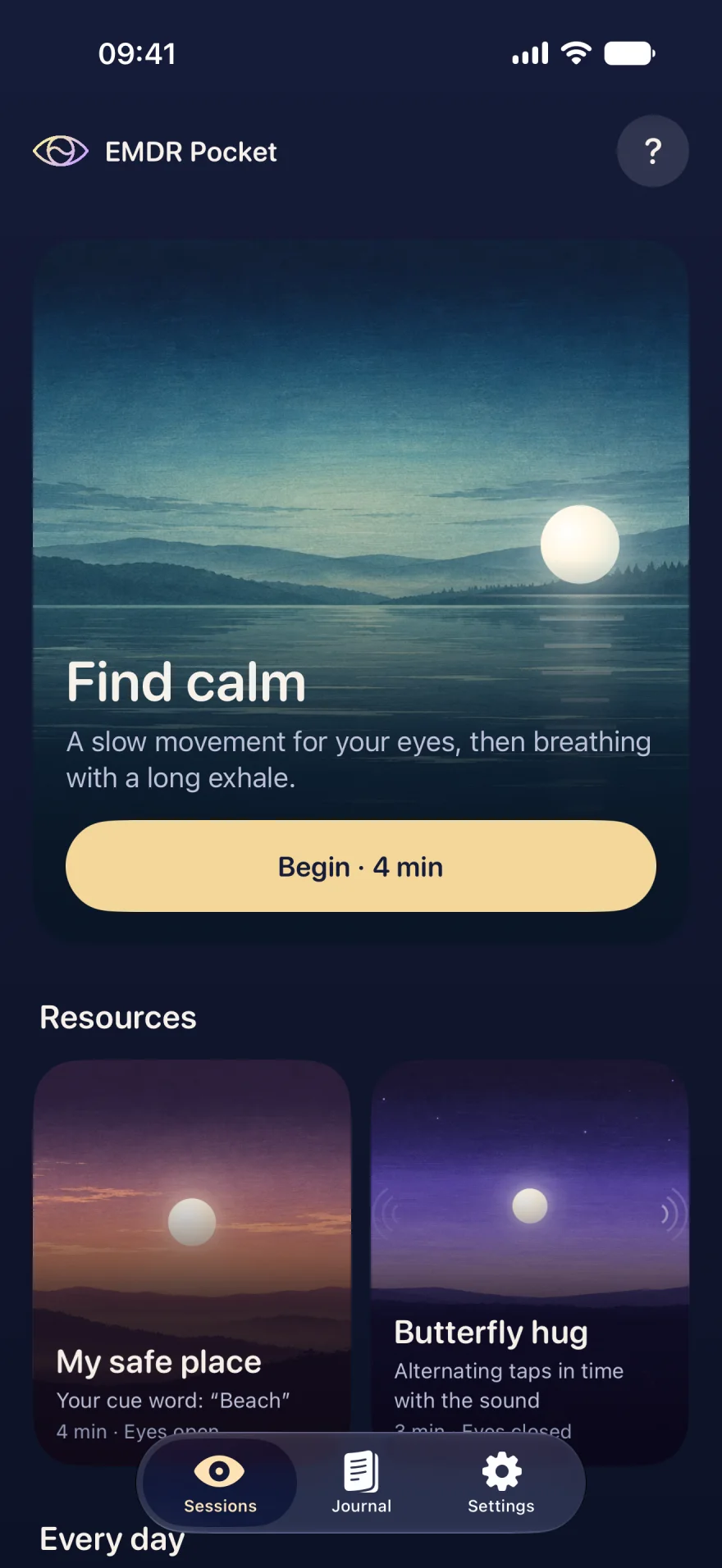

Keep your head still and follow it with your eyes. In the app, it moves from side to side with an alternating sound and a gentle vibration, at the speed you choose.
Visual preview, no sound. The landscape is the one from the Find calm session.
You do not need to know EMDR. A clear guide walks you through it the first time, and you stay in control: pause, speed and stop are always within reach.
For a hard moment, before sleep, or just to breathe. Every session shows how long it takes.
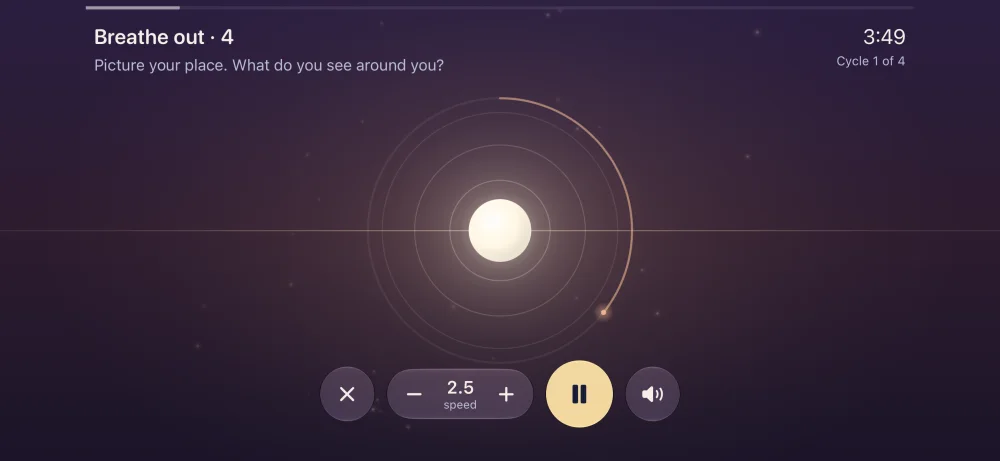
The light glides along the horizon, the sound alternates between your ears, the iPhone vibrates on each pass. Slow down whenever you like.
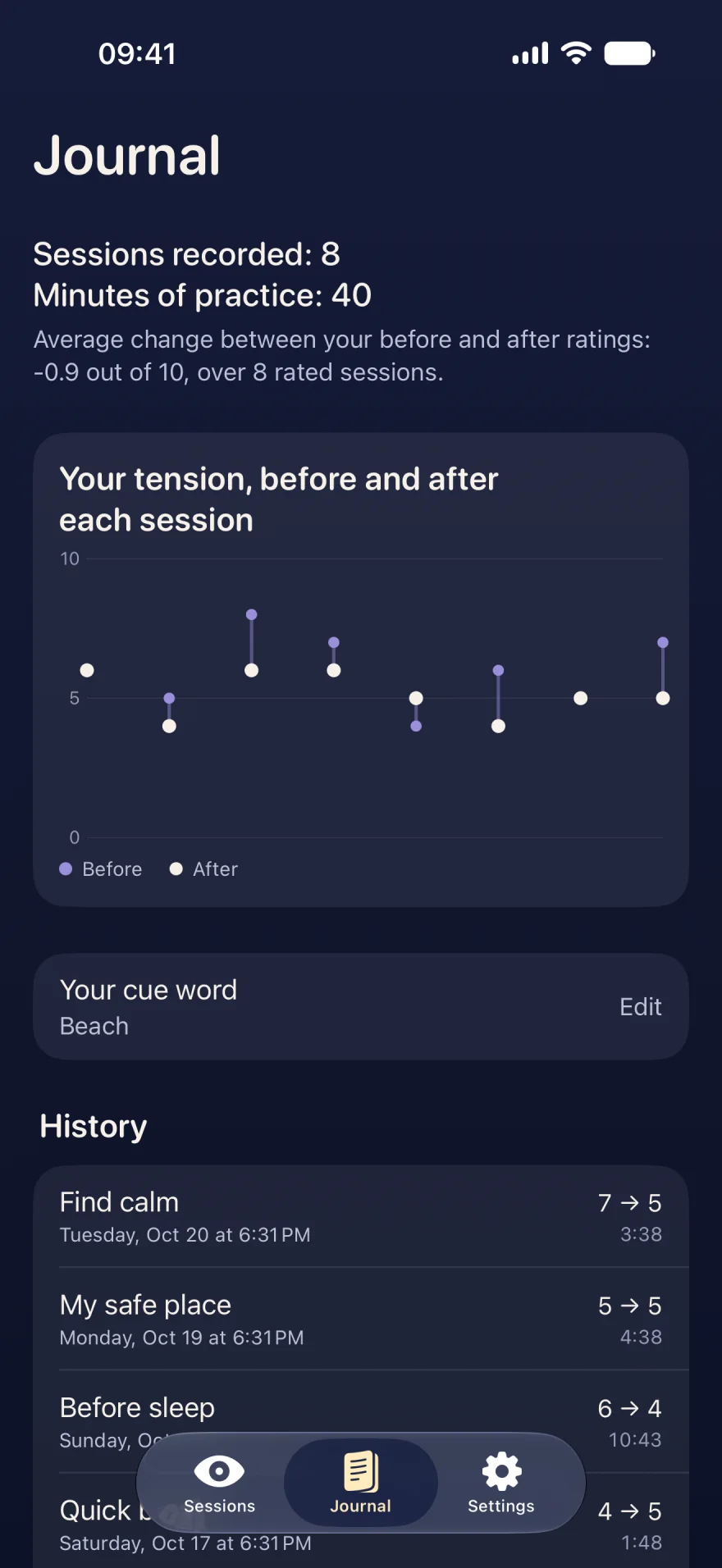
Most sessions end with guided breathing. If you like, rate your tension before and after.
Sample data
Each has its own settings, prompts and landscape. All of them are included in the app.
A slow movement for the eyes, then breathing with a long exhale.
Bilateral stimulation, simply explained
A short set of movement, then a minute of breathing.
Coherence, calming, box or 4-7-8, paced by the light.
Guided breathing: coherence, 4-6, box and 4-7-8
Your five senses, one by one, to come back to the here and now.
5-4-3-2-1 grounding: back to the here and now
Picture a reassuring place and keep a cue word to return to it.
The safe place exercise: building an inner refuge
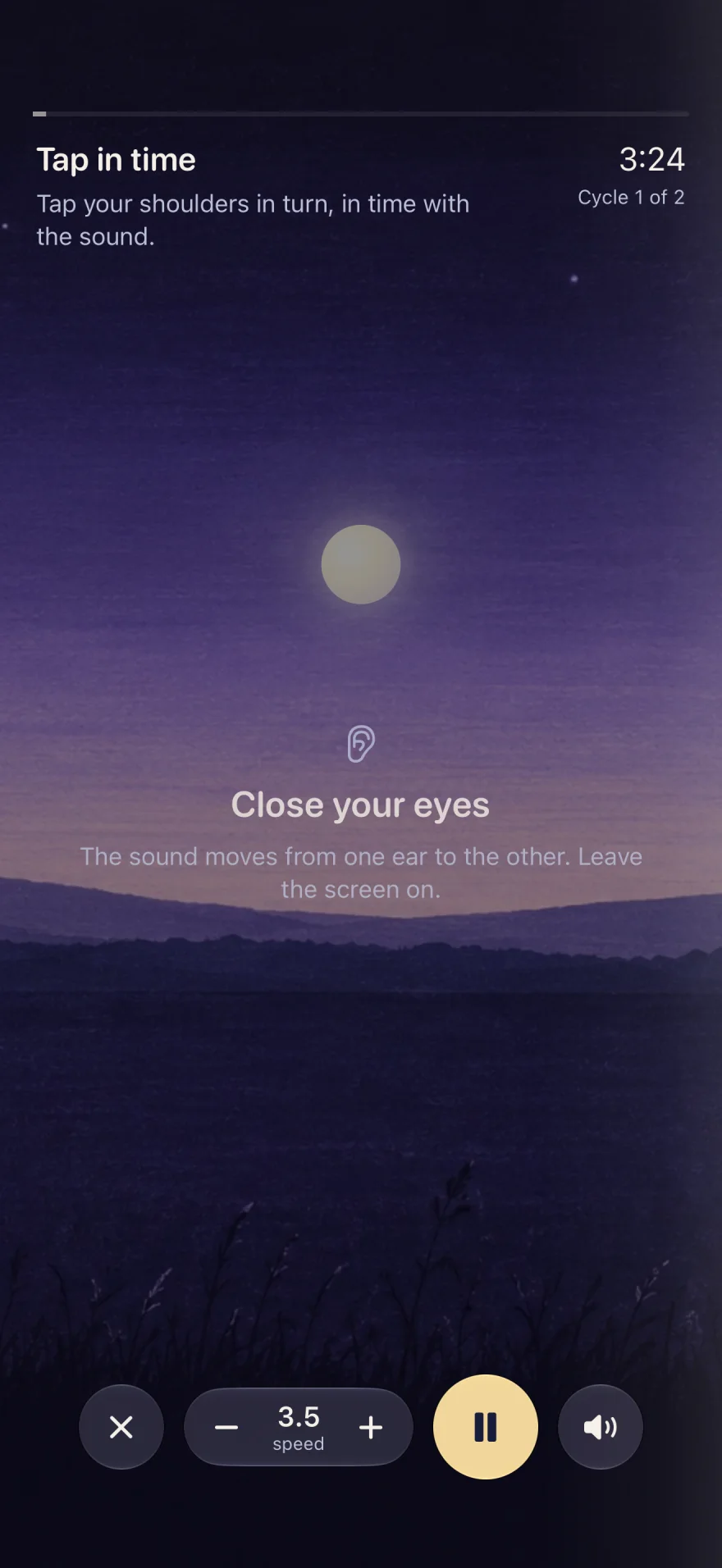
Arms crossed, eyes closed, tap your shoulders in time with the sound.
The butterfly hug, step by step
A slow alternating sound, eyes closed, then 4-7-8 breathing.

You choose the number of passes. The light rests at the centre between sets.

Path, speed, length and breathing set your way.
Light, sound and vibration share one clock: the sound reaches an ear at the exact moment the light touches the edge. Bluetooth headphone delay is compensated.
Some sessions are done with your eyes closed: sound and vibration guide you, on a dark screen. Leave the screen on, as the session pauses if the iPhone locks.
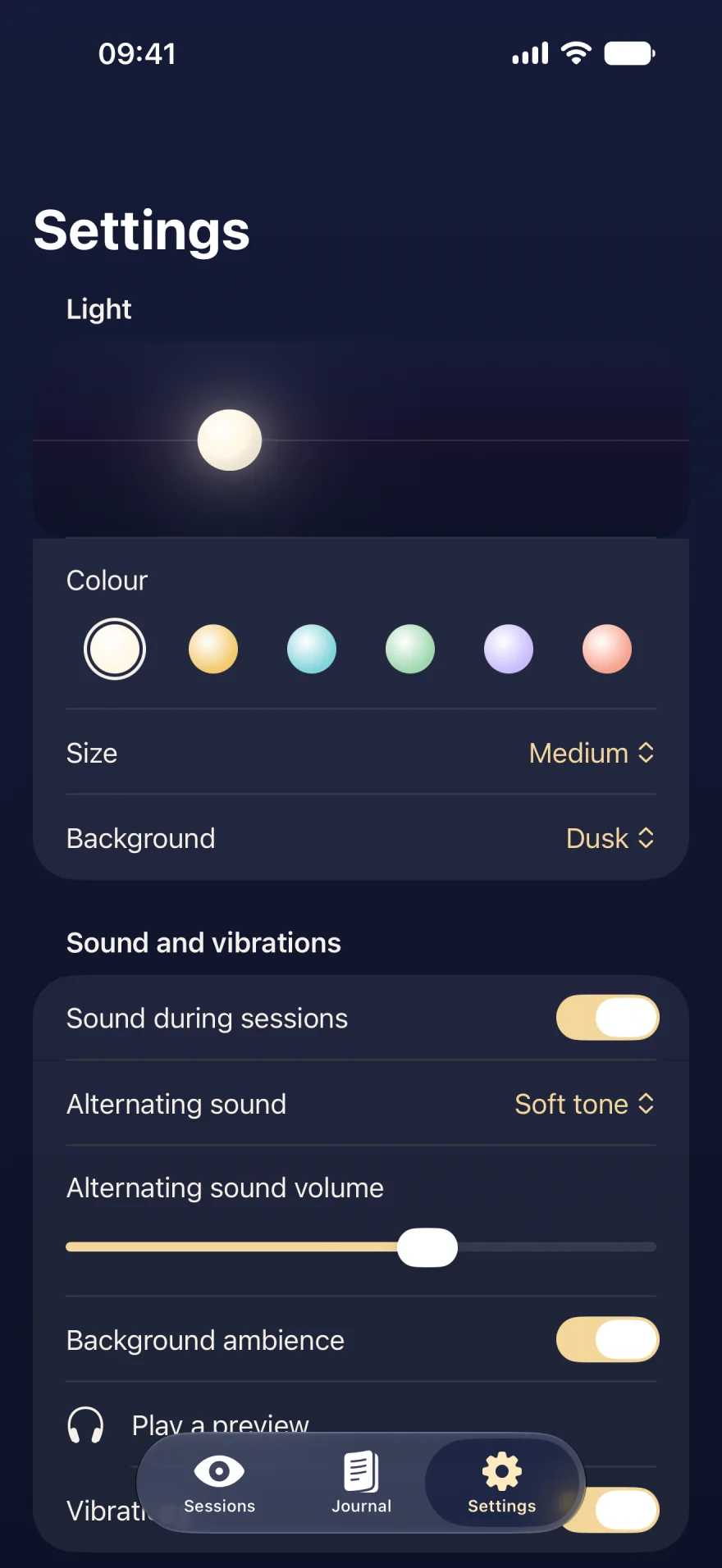
Sample data
After a session, you can rate your tension from 0 to 10, before and after. The journal shows your sessions and how your ratings change, without judgement.
EMDR Pocket works with no account, no ads and no connection. Your journal and sessions stay on your iPhone.
Read the privacy policyNo subscription, no in-app purchase. All nine sessions, and every one still to come.
$3.99 once
EMDR Pocket offers self-soothing exercises inspired by EMDR. It does not provide EMDR therapy and does not replace a professional. To work on traumatic memories, seek professional support. Stop a session as soon as you feel any discomfort.
History of epilepsy, a vision problem or a severe mental health condition: ask a health professional before using the app.
Using EMDR Pocket safelyPlain guides to each technique, with their sources and their limits.
Bilateral stimulation, simply explainedWhat bilateral stimulation is, its place in EMDR therapy, what research says about it, and how to use it for self-soothing, with its limits.The butterfly hug, step by stepHow to do the butterfly hug, a self-administered bilateral stimulation using taps: origin, steps, how long, and precautions.The safe place exercise: building an inner refugeThe safe place, or calm place, exercise means picturing a reassuring place and linking it to a cue word. Steps, tips and limits.5-4-3-2-1 grounding: back to the here and nowThe 5-4-3-2-1 grounding exercise uses your five senses to step out of overwhelming emotion. Steps, when to use it and what it does not replace.Guided breathing: coherence, 4-6, box and 4-7-8Four slow breathing rhythms explained simply: 5-5 coherence, 4-6 long exhale, box breathing and 4-7-8. What research says and how to practise.An EMDR app: what it can do, and what it cannotCan an app do EMDR? What a bilateral stimulation app offers, its limits, and how to use one safely.No. EMDR is a psychotherapy delivered in several phases by a trained professional. EMDR Pocket offers self-soothing exercises inspired by it: bilateral stimulation, guided breathing and grounding. The app does not treat any condition and does not replace professional support.
Stimulation that alternates between left and right: a light to follow with your eyes, a sound moving from ear to ear, or taps on your shoulders. It is part of EMDR therapy, where a therapist guides it.
EMDR Pocket costs $3.99 in the US, paid once on the App Store. Every session is included, along with the journal, settings, Siri and the emergency numbers. There is no subscription and no in-app purchase.
No, but they are recommended for sessions where the sound alternates between your ears. Bluetooth headphones work: their delay is compensated automatically.
No. There is no account, no advertising and no analytics. Your journal stays on your iPhone and the app sends no data anywhere.
Yes. Every session works without a connection, including in airplane mode.
You can close your eyes: some sessions are designed for it, with sound and vibration guiding you. Leave the screen on, as the session pauses if the iPhone locks.
iPhone with iOS 26 or later. The app is available in English, French, German, Spanish, Italian and Portuguese.
Talk to them first. Sets on demand let you choose the number of passes and rest the light at the centre between sets, for guided practice.

Download EMDR Pocket and start with Find calm. The session lasts four minutes.